1. Click the gear icon on the top-right banner to open the Admin Center. 
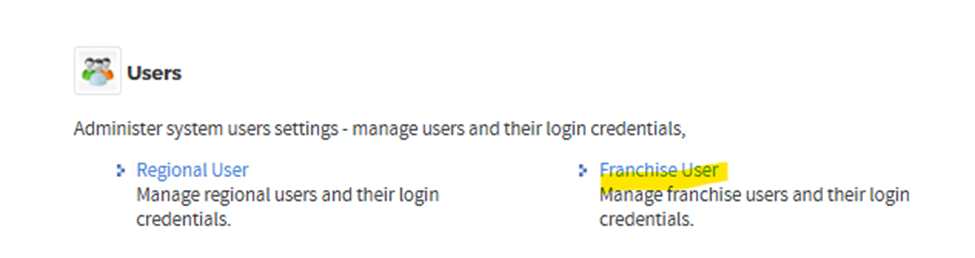
2. Click 'Franchise User' to locate the user account.
3. Search for the user by name or login ID (email) to find their account.

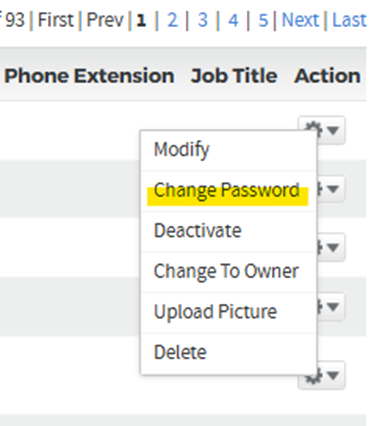
4. Click the gear icon again to open additional options.

5. From the drop-down menu, select 'Change Password'.
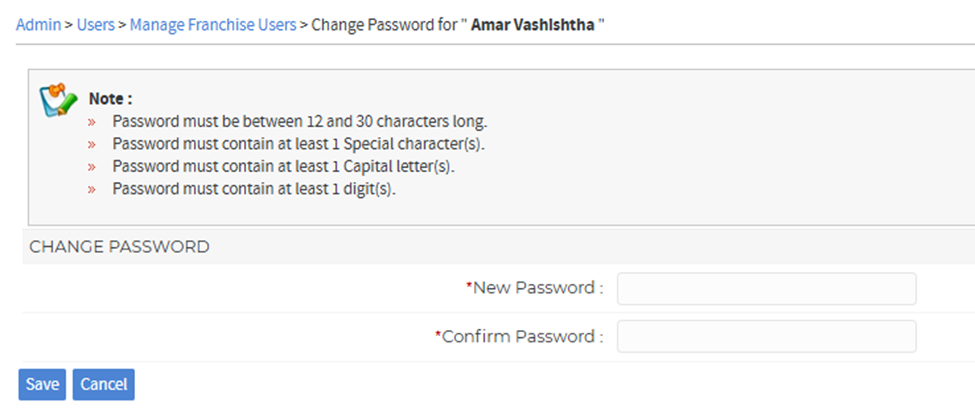
6. Follow the password reset instructions to set the new password. Share the new password with the user after completing the reset.
Was this article helpful?
That’s Great!
Thank you for your feedback
Sorry! We couldn't be helpful
Thank you for your feedback
Feedback sent
We appreciate your effort and will try to fix the article