Task reminder notification has enabled on FranConnect
The task reminder is configured to help school staff keep track of assigned tasks and ensure they are completed on time. An alert email from FranConnect will be sent to the assignor 2 days before the task’s due date, and another alert email will be sent every 5 days after the task becomes overdue.
Tips: When assigning a task to schools, make sure you select the appropriate recipient for the task you are creating. Otherwise, the school representative will not receive the task notification.
The same visit is restricted from being opened in multiple browser tabs
FC informed us that several incidents related to visit form saving failures were caused by working on visit forms in multiple browser tabs. This action can overwrite data in the backend system, leading to missing information in the visit.
School Excellence UI 2.0 Upgrade portal
The FranConnect School Excellence UI 2.0 Upgrade portal offers a modern, intuitive interface that improves navigation and efficiency, making it easier for users to manage tasks and visits. Quick-access features, integrated reporting, and improved dashboards provide better visibility and control, while cross-functional linkages streamline workflows and reduce redundancy. Overall, the upgrade delivers a more user-friendly, organized, and insightful experience for managing school performance and operations.
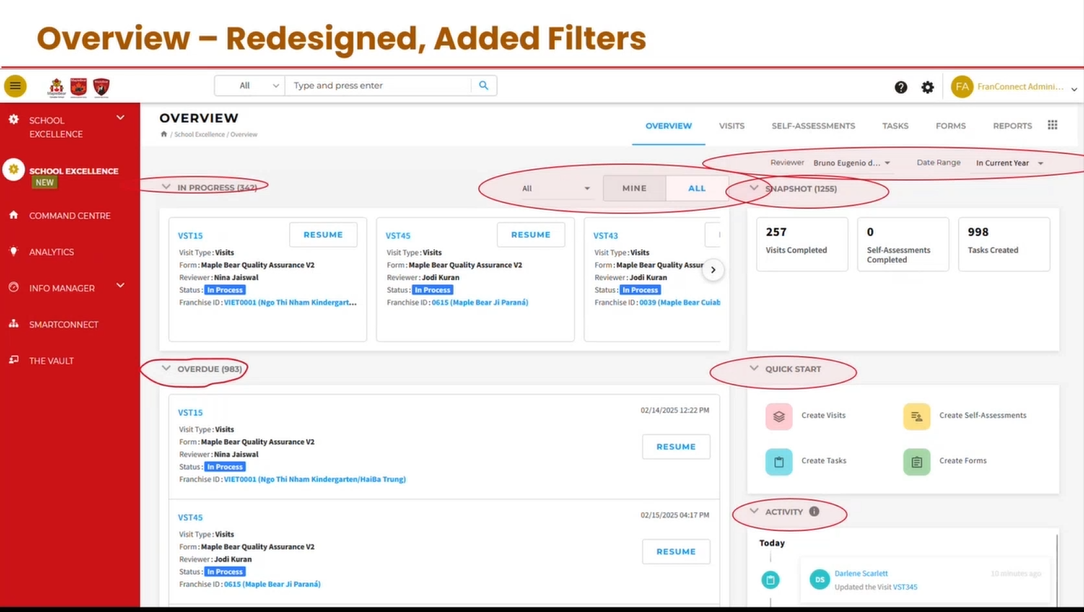
Improved Usability & Navigation
- Modernized interface: Replaces the old left-side panel with a clean top navigation bar, making navigation faster and more intuitive.
- Quick Start options: Easy access to frequently used actions from the Overview page.
- Faster system response and clearer layout for a more organized and user-friendly experience.
Better Organization of Visits & Assessments
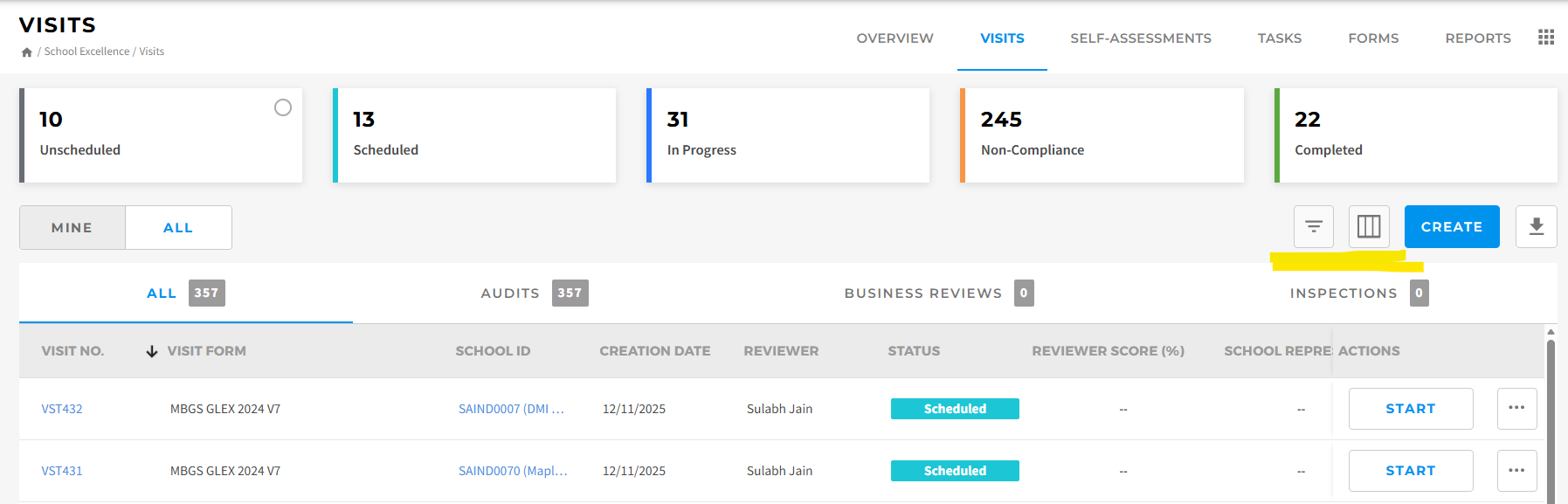
- Separate tabs for Visits and Self-Assessments: Provides options to categorize audit forms under different categories. (Note: This feature is not currently enabled in MBGS FranConnect)
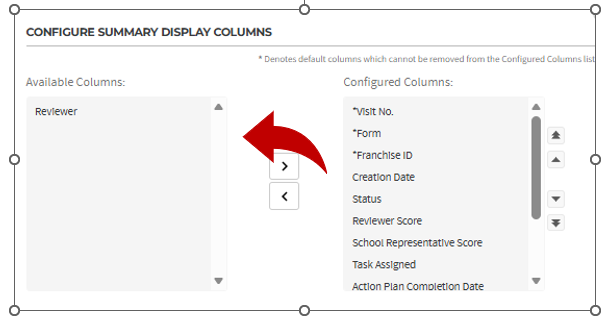
- Customizable columns and advanced filters: Users can tailor views to their needs. By moving columns from the Configured Columns table to the Available Columns table, you can remove the columns you don’t need in your view.

 Filter button in the Visit view: You can filter by region, visit number, reviewer, and more.
Edit button in the Visit view: You can add or remove columns displayed in your visit view.
Upgraded Visit Management
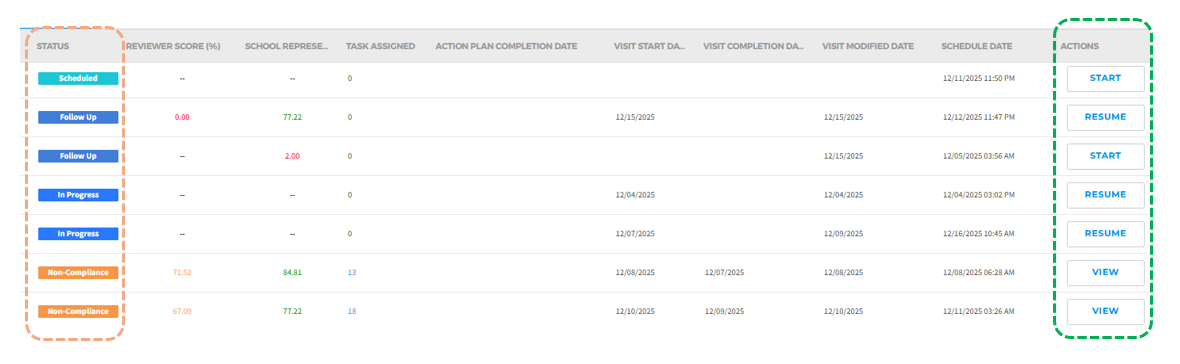
Newly added “Action” buttons reflect the status of visits. Action buttons can be found on both the Overview and Visit pages:
- Scheduled (Status) – Start (Action)
- In-progress (Status) – Resume (Action)
- Follow-up (Status) – Resume/Start (Action)
If the reviewer has not started the visit, the “Follow-up” visit will display the Start action button; otherwise, it will show Resume action button. - Non-Compliance (Status) – View (Action)
Upgraded Task Management
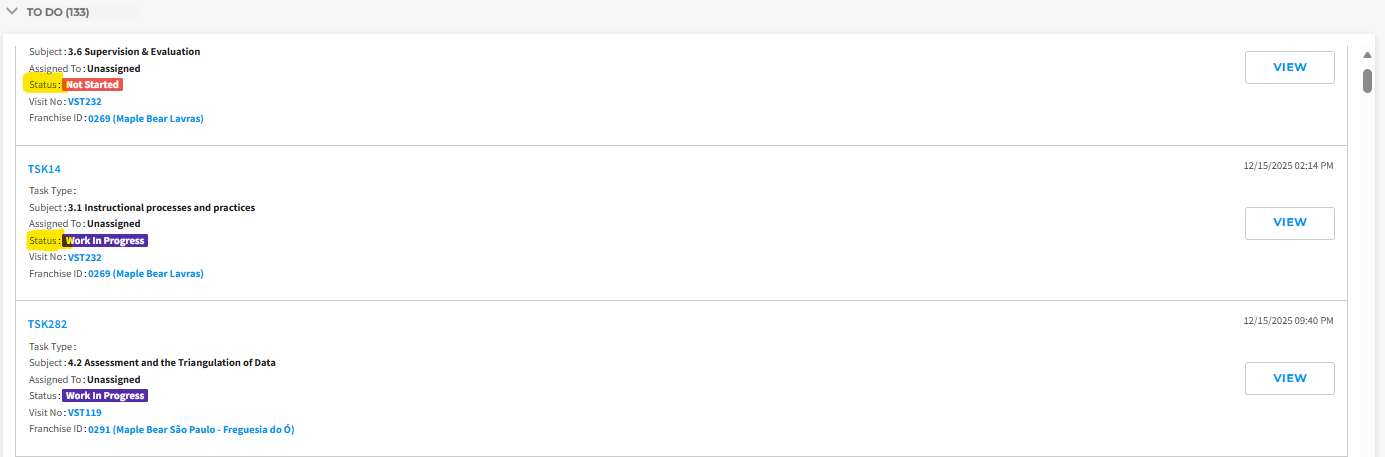
A “To-do” section has been added to the Overview page to display scheduled tasks. You can also view task details, including status, visit number, and school name, all in one place.
Was this article helpful?
That’s Great!
Thank you for your feedback
Sorry! We couldn't be helpful
Thank you for your feedback
Feedback sent
We appreciate your effort and will try to fix the article